ASUS · Released 2023
ASUS RT-AX52
- OpenWrt compatibility
- Fully supportedup to 25.12.6
- Our recommendation
- Good Budget Option
An inexpensive Wi-Fi 6 router from a mainstream brand on Filogic 820, installable from ASUS's web interface.
- CPU
- 2-core · 1.3 GHz · ARM 64-bit
- RAM / Flash
- 256 MB / 128 MB
- Wi-Fi
- Wi-Fi 6
- Fastest port
- 1 GbE
Tested by us: No. Specifications and compatibility independently researched from manufacturer and OpenWrt documentation.· Last reviewed Oct 10, 2026
Quick answers
- Does it support OpenWrt?
- Yes, with official images since OpenWrt 24.10.2; latest release with images: 25.12.6.
- Is installation easy?
- Moderate. Upload the OpenWrt initramfs image in the ASUS web interface (Administration → Firmware Upgrade), then install the sysupgrade image over SSH.
- Is it powerful enough for WireGuard?
- WireGuard suitability: Good. Benchmark not yet tested.
- Does it have enough RAM and flash?
- 256 MB RAM, 128 MB flash. Enough for typical use including VPN and SQM.
- Does it have 2.5 GbE?
- No. Fastest wired port: 1 GbE.
- Would we buy it today?
- Yes as a cheap, easy-to-find OpenWrt router or access point for gigabit connections.Opinion
- What should I buy instead?
- Consider Xiaomi AX3000T. See Alternatives below.Opinion
Overview
Editorial opinionThe RT-AX52 (and RT-AX52 Pro) is a budget ASUS router built on MediaTek's Filogic 820 with open-source Wi-Fi drivers. OpenWrt can be started from the ASUS web interface and then installed permanently over SSH.
With 256 MB RAM and gigabit ports it is a solid basic router or access point, not a VPN workhorse.
OpenWrt compatibility
Factual data- OpenWrt support
- Fully supported
- Support status
- Current stable release
- First release with images
- 24.10.2
- Latest release with images
- 25.12.6
- Snapshot only
- No
- Target
mediatek/filogic- Build profile
- asus_rt-ax52
Source: official OpenWrt build data and Table of Hardware, data as of Oct 20, 2026, 11:45 AM UTC.
Hardware specifications
Factual data- SoC
- MediaTek MT7981B (Filogic 820)
- CPU architecture
- ARM 64-bit (aarch64)
- CPU cores
- 2
- CPU clock
- 1.3 GHz
- RAM
- 256 MB
- Flash storage
- 128 MB NAND
- Expandable storage
- None
- USB
- None
Source: www.asus.com
Network and Wi-Fi
Factual data- Ethernet ports
- 4
- Layout
- 1× 1 GbE WAN + 3× 1 GbE LAN
- WAN speed
- 1 GbE
- LAN speed
- 1 GbE
- Multi-gig ports
- None
- VLAN support
- Yes
- Wi-Fi
- Wi-Fi 6 · AX1800 · 2.4 / 5 GHz
- Standards
- 802.11a/b/g/n/ac/ax
- 2.4 / 5 / 6 GHz
- Yes / Yes / No
- Max wireless speed
- 1.8 Gbps (theoretical)
- Radios
- 2
- Wi-Fi chipset
- MediaTek MT7981 (integrated)
- Antennas
- —
Installation difficulty
Editorial opinion- Installation difficulty
- Moderate
- Usual method
- Upload the OpenWrt initramfs image in the ASUS web interface (Administration → Firmware Upgrade), then install the sysupgrade image over SSH.
- Recovery difficulty
- Hard
- Recovery method
- Serial console and TFTP.
Our rating of how hard a first installation and an unbrick are for someone comfortable with a web interface. Always follow the official device page for exact steps.
Performance
Factual data- NAT routing throughput
- Benchmark not yet tested
- SQM (cake) shaping limit
- Benchmark not yet tested
VPN performance
Factual data- WireGuard throughput
- Benchmark not yet tested
- OpenVPN throughput
- Benchmark not yet tested
Suitability ratings are our estimate from the CPU and architecture, not measurements. See the methodology.
Pros and cons
Editorial opinionPros
- Installs from the ASUS web interface
- Filogic 820 with open-source drivers
- Widely available
Cons
- 256 MB RAM
- Gigabit ports only
- AX1800 Wi-Fi
- No USB
Editorial scores
Editorial opinion- Overall
- 6.8 / 10
- OpenWrt friendliness
- 7.5 / 10
- Ease of installation(higher is easier)
- 7.0 / 10
- Performance
- 6.5 / 10
- VPN performance
- 6.0 / 10
- Value
- 8.0 / 10
Where to buy
- Check price at Amazon (opens in a new tab)AmazonCheck availability
- Check price at Newegg (opens in a new tab)NeweggCheck availability
Other regions (3)
- Check price at Amazon UK (opens in a new tab)Amazon UKUnited Kingdom · Check availability
- Check price at Amazon España (opens in a new tab)Amazon EspañaSpain · Check availability
- Check price at Amazon Deutschland (opens in a new tab)Amazon DeutschlandGermany · Check availability
Typical street price around $80 (editorial reference, not a live price). Prices are shown only if updated in the last 24 hours and may change; the retailer’s price at checkout applies. We may earn a commission from these links at no cost to you. Affiliate disclosure
Alternatives
Editorial opinion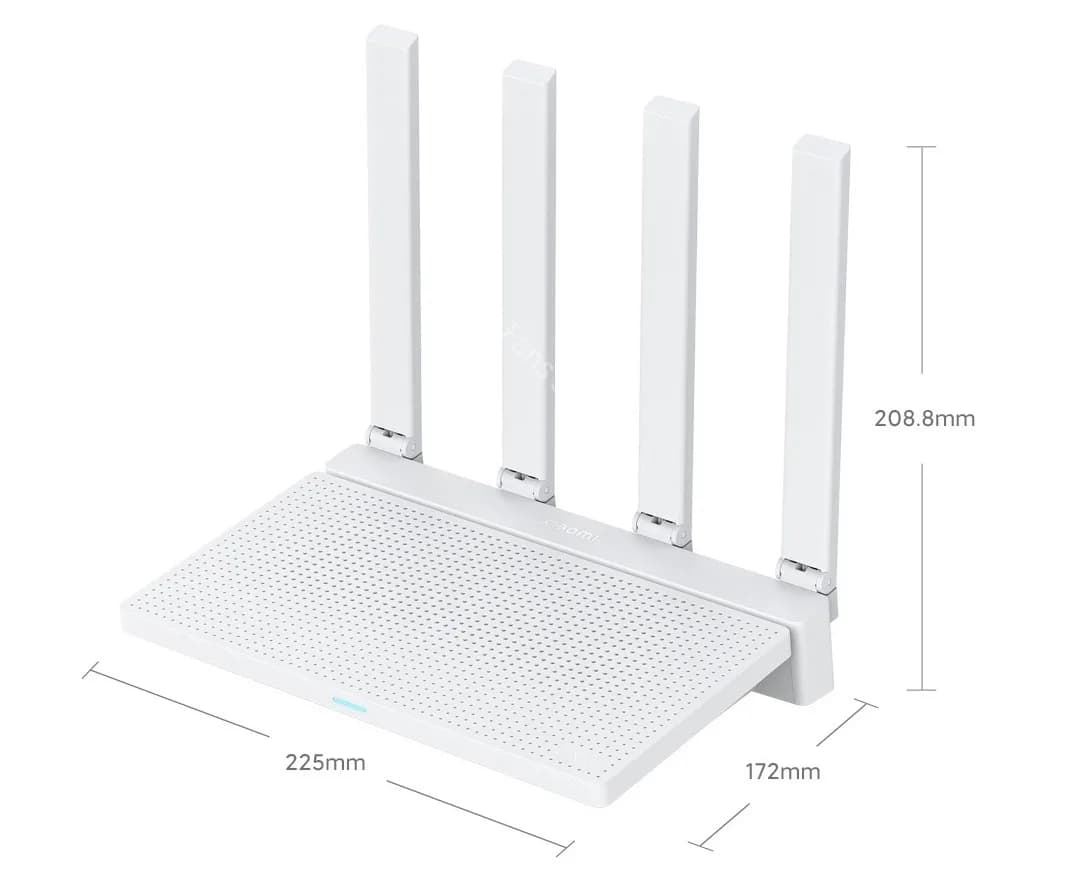
Related guides
Start with how to install OpenWrt or browse all OpenWrt guides.