Mercusys · Released 2022
Mercusys MR90X (MR90X v1)
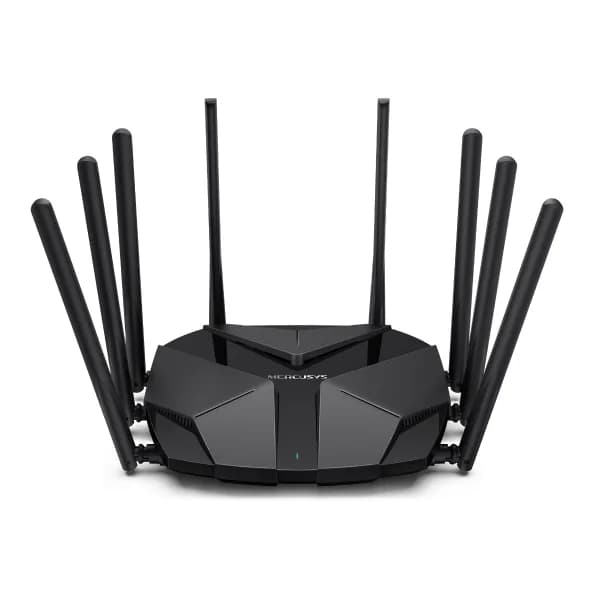
Photo: OpenWrt wiki · CC BY-SA 4.0 · resized
- OpenWrt compatibility
- Fully supportedup to 25.12.6
- Our recommendation
- Advanced Users Only
- Difficult installation
- Hardware revision warning
Lots of hardware for the money (Filogic 830, AX6000, 2.5 GbE), but installation needs soldering for the serial console.
- CPU
- 4-core · 1.6 GHz · ARM 64-bit
- RAM / Flash
- 512 MB / 128 MB
- Wi-Fi
- Wi-Fi 6
- Fastest port
- 2.5 GbE
Tested by us: No. Specifications and compatibility independently researched from manufacturer and OpenWrt documentation.· Last reviewed Oct 10, 2026
Quick answers
- Does it support OpenWrt?
- Yes, with official images since OpenWrt 23.05.0; latest release with images: 25.12.6.
- Is installation easy?
- Expert only. Solder the missing serial resistors, connect a serial console, boot the OpenWrt initramfs over TFTP, set the bootloader variables, then sysupgrade.
- Is it powerful enough for WireGuard?
- WireGuard suitability: Excellent. Benchmark not yet tested.
- Does it have enough RAM and flash?
- 512 MB RAM, 128 MB flash. Plenty of room for VPN, SQM, ad blocking and extra packages.
- Does it have 2.5 GbE?
- Yes: 1× 2.5 GbE.
- Would we buy it today?
- Only if you are comfortable soldering; otherwise spend a little more on an easier router.Opinion
- What should I buy instead?
- Consider GL.iNet Flint 2. See Alternatives below.Opinion
Overview
Editorial opinionThe MR90X v1 packs MediaTek's quad-core Filogic 830, 4×4 Wi-Fi 6 and a 2.5 GbE port into an inexpensive router from TP-Link's budget brand.
Installing OpenWrt requires the serial console, and the board is missing two resistors on the serial lines, so you have to solder them or bridge the pads. Once installed, it is a very capable router.
OpenWrt compatibility
Factual data- OpenWrt support
- Fully supported
- Support status
- Current stable release
- First release with images
- 23.05.0
- Latest release with images
- 25.12.6
- Snapshot only
- No
- Target
mediatek/filogic- Build profile
- mercusys_mr90x-v1, mercusys_mr90x-v1-ubi
- Recovery methods (OpenWrt wiki)
- U-Boot web recovery
- Hardware revision warning. Only hardware version v1 is supported. Check the label before buying.
Source: official OpenWrt build data and Table of Hardware, data as of Oct 20, 2026, 11:45 AM UTC.
Hardware specifications
Factual data- SoC
- MediaTek MT7986BLA (Filogic 830)
- CPU architecture
- ARM 64-bit (aarch64)
- CPU cores
- 4
- CPU clock
- 1.6 GHz
- RAM
- 512 MB
- Flash storage
- 128 MB NAND
- Expandable storage
- None
- USB
- None
- Power
- 12 V / 2 A DC
Source: openwrt.org
Network and Wi-Fi
Factual data- Ethernet ports
- 4
- Layout
- 1× 2.5 GbE (WAN/LAN) + 3× 1 GbE
- WAN speed
- 2.5 GbE
- LAN speed
- 1 GbE
- Multi-gig ports
- 1× 2.5 GbE
- VLAN support
- Yes
- Wi-Fi
- Wi-Fi 6 · AX6000 · 2.4 / 5 GHz
- Standards
- 802.11a/b/g/n/ac/ax
- 2.4 / 5 / 6 GHz
- Yes / Yes / No
- Max wireless speed
- 6.0 Gbps (theoretical)
- Radios
- 2
- Wi-Fi chipset
- MediaTek MT7975 (4×4)
- Antennas
- 8 external
Installation difficulty
Editorial opinion- Installation difficulty
- Expert only
- Usual method
- Solder the missing serial resistors, connect a serial console, boot the OpenWrt initramfs over TFTP, set the bootloader variables, then sysupgrade.
- Recovery difficulty
- Hard
- Recovery method
- Serial console and TFTP.
Our rating of how hard a first installation and an unbrick are for someone comfortable with a web interface. Always follow the official device page for exact steps.
Performance
Factual data- NAT routing throughput
- Benchmark not yet tested
- SQM (cake) shaping limit
- Benchmark not yet tested
VPN performance
Factual data- WireGuard throughput
- Benchmark not yet tested
- OpenVPN throughput
- Benchmark not yet tested
Suitability ratings are our estimate from the CPU and architecture, not measurements. See the methodology.
Pros and cons
Editorial opinionPros
- Quad-core Filogic 830 and 512 MB RAM
- 4×4 AX6000 Wi-Fi
- 2.5 GbE port
- Low price
Cons
- Installation needs soldering and a serial console
- No USB
- Only v1 is supported
Editorial scores
Editorial opinion- Overall
- 6.8 / 10
- OpenWrt friendliness
- 7.0 / 10
- Ease of installation(higher is easier)
- 2.0 / 10
- Performance
- 8.0 / 10
- VPN performance
- 8.0 / 10
- Value
- 9.0 / 10
Where to buy
- Check price at Amazon (opens in a new tab)AmazonCheck availability
Other regions (2)
- Check price at Amazon UK (opens in a new tab)Amazon UKUnited Kingdom · Check availability
- Check price at Amazon Deutschland (opens in a new tab)Amazon DeutschlandGermany · Check availability
Typical street price around $100 (editorial reference, not a live price). Prices are shown only if updated in the last 24 hours and may change; the retailer’s price at checkout applies. We may earn a commission from these links at no cost to you. Affiliate disclosure
Alternatives
Editorial opinion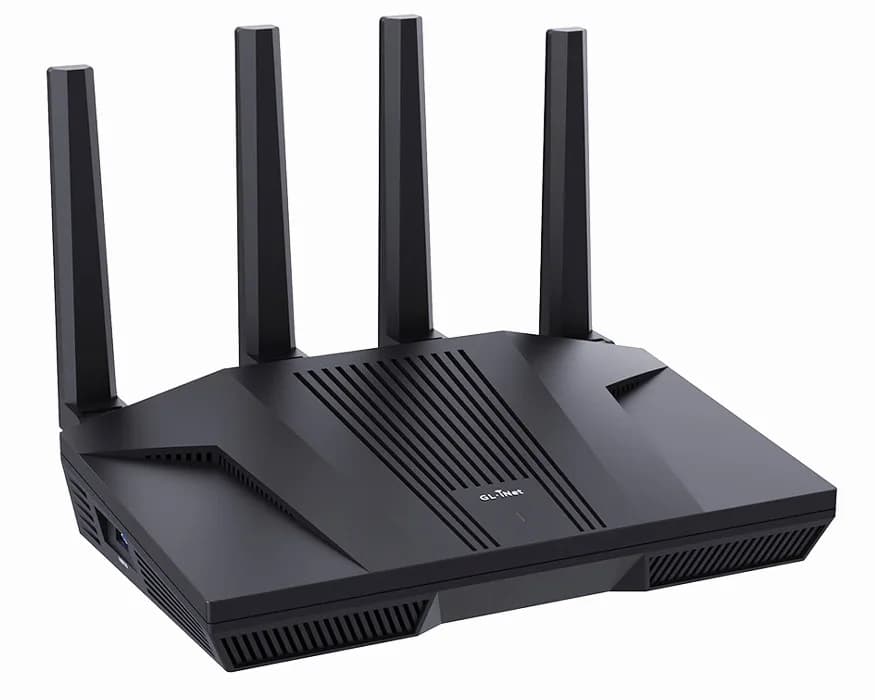

Related guides
Start with how to install OpenWrt or browse all OpenWrt guides.